








A growing number of small businesses are adopting a BYOD (bring your own device) policy to save them time and money. But opinion is still divided on how beneficial it is.
According to a recent survey from Dell, security breaches cost UK organisations an estimated £1.5bn a year, and nearly three-quarters of businesses have experienced a breach in the past 12 months.
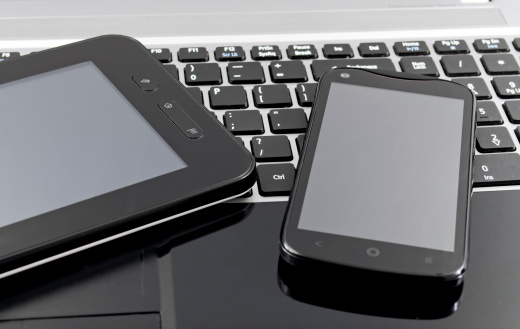
Do the merits of BYOD outweigh the disadvantages?
BYOD pros
Increased productivity
People are happier and feel more confident using their own tablets, smartphones and laptops at work, so they’re more productive. And because they take their devices home with them, they may also do company work in their own time too. It’s thought that more than half of workers regularly check work emails when they’re at home. They can read or reply to them outside of the office, so things that would normally have had to wait until the next day or after the weekend can now be handled straight away.
Familiarity
Employees shouldn’t need to be trained in how to use their devices, and they can use their preferred operating system, so this saves time. For example, Apple fans wouldn’t need to adapt to Windows technology, and vice versa. People’s own devices also tend to be more up to date than computers that may have been brought in years ago by their organisation, so the company can benefit from the latest features and capabilities. Users will also take time to maintain and update their own products.
Cost savings
The most obvious benefit of BYOD is the money that employers save by not having to invest in equipment for their staff. Their savings also include maintaining the devices and data plans. Breakages and wastage are also likely to be reduced as people tend to take better care of their own machines.
Flexibility
BYOD enforces the notion of flexible working as it allows people to work from any location. Work that could only normally be done in the office can be done anywhere, so employers can make further savings on office space and electricity.
BYOD cons
Security
The major concern about BYOD is lack of security. According to research, three-quarters of IT staff are worried about the security of business data on tablets, while 43% have user privacy concerns. Because workers have company data on their machines, data leakage and the risk of malware and spoofed mobile websites leave businesses vulnerable. There’s also the risk of someone leaving their phone, tablet or laptop on the train for information to get into the wrong hands.
However, some of the potential risks can be minimised by using mobile device management software.
Employee costs
While employers’ costs may go down, workers will not always be happy to have to fork out for their own devices for work, especially if it’s their responsibility to fix them when they break down. Repairs could be costly. If it’s the IT department’s responsibility, people will expect support round the clock.
Leaving a company
What happens when an employee leaves a company? How will their access to company data be discontinued? Do they still have access to clients’ contact information that they could give to a competitor? You need to have a BYOD policy that addresses these sensitive issues.